Magic Entry DEMO
UI preview for Magic Entry. Does not open or manage real trades.
Install
- Download the DEMO archive.
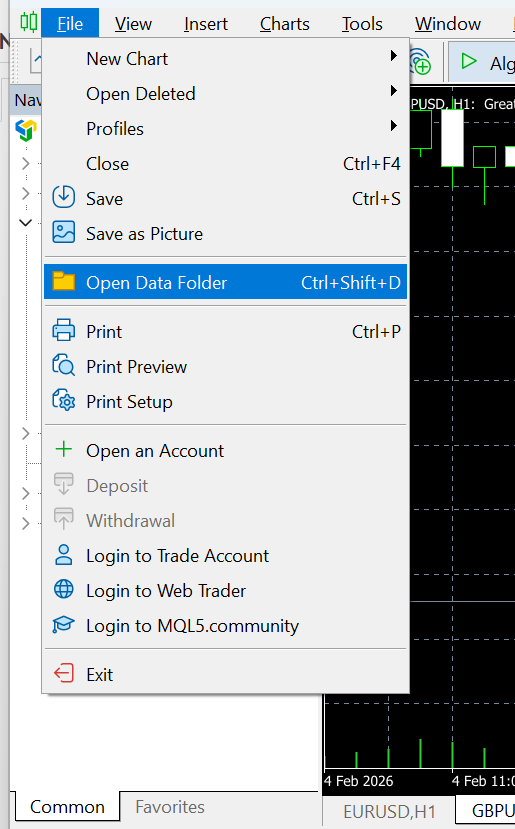
- In MetaTrader 5: File -> Open Data Folder.
- Open the MQL5 folder, then Experts.
- Copy the DEMO EA file or folder into the Experts folder.
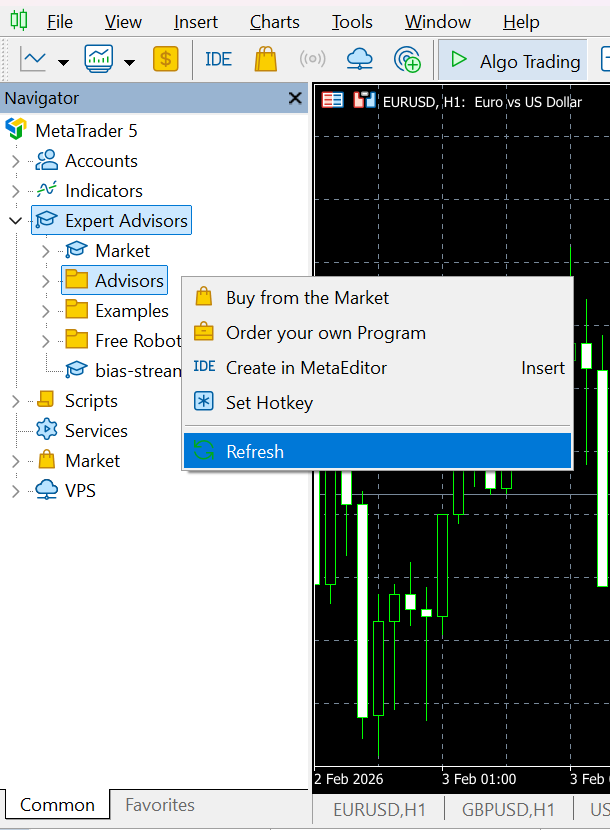
- In Navigator -> Expert Advisors: right click -> Refresh.
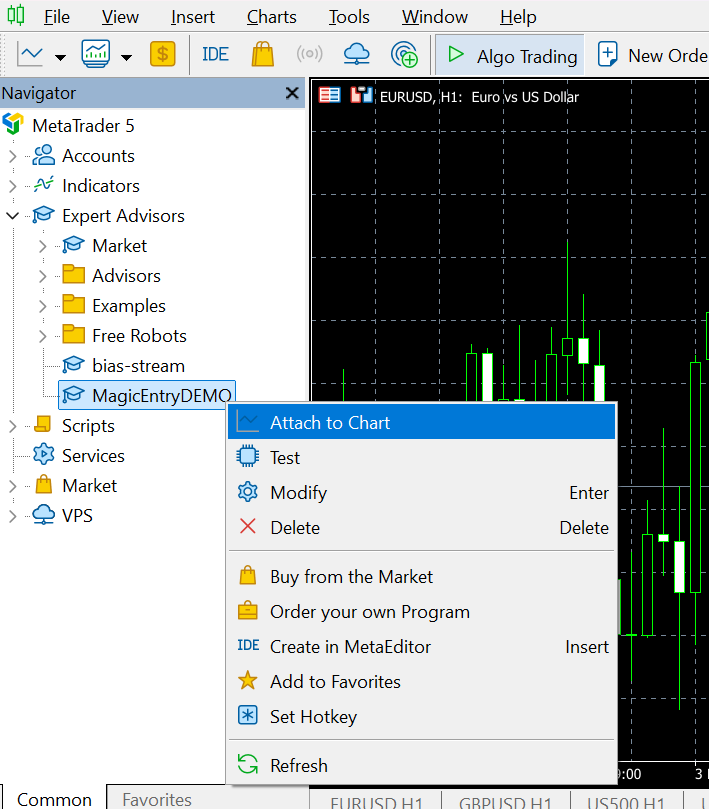
- Attach MagicEntryDEMO to a chart by double click or Attach to chart.
Path example: C:\Users\USERNAME\AppData\Roaming\MetaQuotes\Terminal\...\MQL5\Experts\
What DEMO can and cannot do
- This is a DEMO / UI preview version for testing the interface and workflow on a chart.
- Trading execution is disabled: the EA cannot open, modify, delete, or close orders/positions, including partial closes, breakeven moves, and trailing SL/TP.
- When you trigger a trading action, DEMO shows a warning message instead of executing it.
Original post (MQL5): https://www.mql5.com/en/blogs/post/767212